Ways to manage allowed tools
Narration
Listen or continue with the transcriptNarration
Listen or continue with the transcriptTranscript
One of the most important aspects of Claude Code is controlling which tools it can use.
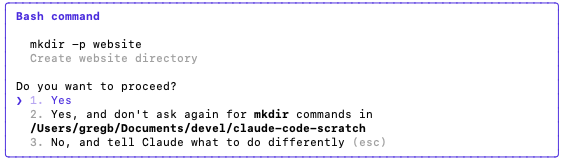
Manual approval is the conservative default: review risky actions before they happen. Accept edits mode reduces friction for file edits. Plan mode lets Claude research and propose before changing anything. Auto mode uses a classifier to allow routine actions while still blocking risky ones.
For explicit rules, use /permissions. For durable configuration, use settings files such as ~/.claude/settings.json, .claude/settings.json, and .claude/settings.local.json. For automation, use CLI flags like --permission-mode, --allowedTools, and --disallowedTools.
Hooks can approve, block, or log tool use at lifecycle events such as PreToolUse and PermissionRequest. /sandbox can add operating-system enforcement. Claude Code on the web runs in Anthropic-managed infrastructure, so the permission question also depends on where the work is executing.
The practical goal is not to remove all prompts. It is to make routine work smooth while keeping meaningful review on risky operations.